


Ecommerce App Development Guide: Types, Features, Process & Cost (2026)
Table of Contents
What Is Ecommerce App Development?
Types of Ecommerce Apps
Must-Have Ecommerce App Features
Native vs Cross-Platform vs PWA
Ecommerce App Development Cost
Why Choose CodeAegis?
Ecommerce App Technology Stack
Ecommerce App Development Process
Industries We Serve
Ecommerce App Development Case Study
Conclusion
Frequently Asked Questions
 Add us as a preferred source on Google
Table of Content
+Ecommerce App Development Guide: Steps, Features & Cost
Your mobile website converts well. Your optimization is solid. Traffic is growing. But here's what the analytics don't show: your repeat customers spend 40% more when they use an app instead of your website. They buy twice as often. They stay engaged three times longer. Your best customers aren't using your site at all. They're using your competitor's app because you haven't built one yet.
Here's the thing: cart abandonment on mobile websites runs around 70-75%, according to Baymard Institute's checkout research. That means three out of four customers who add items to a cart on your mobile site never complete the purchase. Apps dramatically improve this metric because they reduce friction at every step.
This guide covers everything you need to know. What types of apps exist. Which features drive revenue versus which ones look cool but waste development time. How long development actually takes. What it realistically costs. How to avoid the mistakes that waste both money and time.
What Is Ecommerce App Development?
Ecommerce app development is the process of designing and building a mobile or web application that lets customers browse products, pay, and track orders, along with the backend services and admin tools a business uses to manage its catalog, inventory, and fulfillment.
That definition hides how many moving parts there are. In practice you’re building three connected systems:
- The customer app. Everything a shopper touches: browsing, search, cart, checkout, order history, and notifications
- The API layer. The services that handle pricing, stock, promotions, payments, tax, and shipping rates. This is where most of the engineering effort goes
- The admin dashboard. What your team uses to upload products, process orders, issue refunds, and read reports
Types of Ecommerce Apps: B2C, B2B, Marketplace and More
Not all ecommerce apps work the same way. The type you build depends on your business model.
| Type | Best for | Examples | Typical features |
|---|---|---|---|
| B2C | Selling to individual shoppers | Amazon, Walmart | Search and filters, wallets, reviews, loyalty |
| D2C | Brands selling direct, no middleman | Chubbies | Brand storytelling, personalization, subscriptions |
| B2B | Wholesale and bulk orders | Grainger, Alibaba | Bulk ordering, custom pricing, invoicing, role-based access |
| Marketplace / C2C | Many sellers, one platform | Etsy, eBay | Seller onboarding, commissions, chat, dispute handling |
| Subscription | Recurring and replenishment orders | Subscription box brands | Recurring billing, plan management, reminders |
| Social commerce | Buying inside social platforms | Instagram Shopping | Shoppable posts, in-app checkout, sharing |
Two of these deserve extra caution. Marketplaces look like regular stores from the outside, but the back end is closer to a financial system, since you’re holding money for other people. Subscription apps hide their complexity in failed payments. Retry schedules, card updater services, and clear pause and skip options decide whether recurring revenue actually recurs.
Must-Have Ecommerce App Features
Features differ a lot in how much they contribute to revenue. Some are required to launch, and some are better held back until you have real usage data.
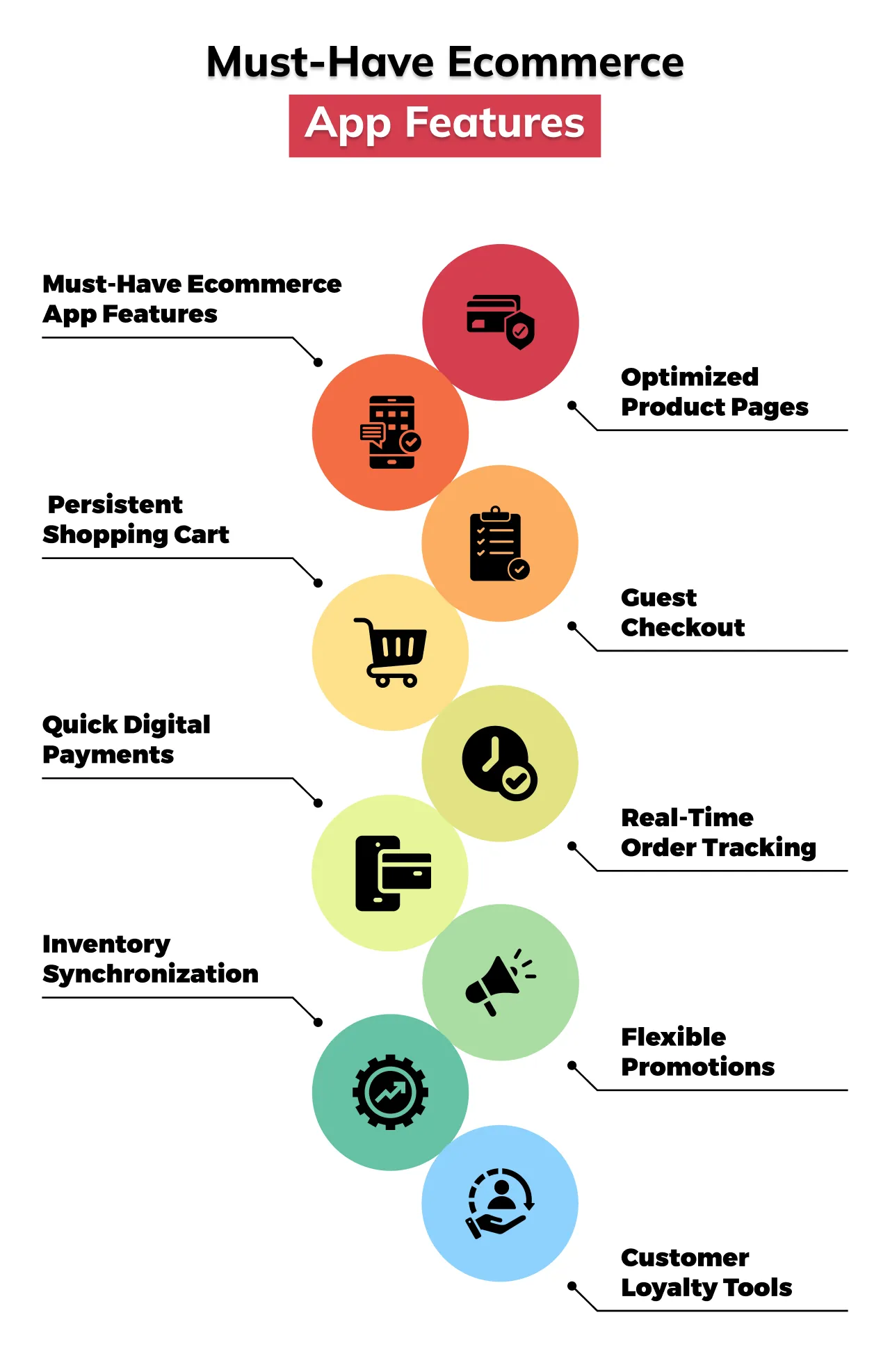
Customer-facing features
- Search with filters and typo tolerance. Algolia or OpenSearch earns its keep once the catalog passes a few thousand SKUs, because basic database queries stop returning useful results
- Product pages with optimized images. Resize and serve images through a CDN so a gallery doesn’t burn a shopper’s data plan
- A cart that persists. It should survive app restarts and carry across devices once someone signs in
- Guest checkout. Offer account creation after payment, when the shopper has already committed
- Apple Pay and Google Pay. Wallet payments skip typing card numbers, which is where a lot of mobile checkouts die
- Order tracking with push updates, plus reviews, wishlist, and a loyalty program
Admin panel features
- Catalog and variant management with bulk import, since nobody wants to enter 4,000 SKUs by hand
- Inventory sync across the app, website, and any physical stores
- Order handling with partial refunds and returns
- A promotion engine for coupons, tiered discounts, and scheduled sales
- Reporting dashboards and role-based access, so a support agent can’t change prices
Native vs Cross-Platform vs PWA: Which Approach Should You Choose?
This choice affects your budget more than almost anything else you decide early on. Each route trades cost against capability.
| Criteria | Native (Swift, Kotlin) | Cross-platform (Flutter, React Native) | PWA |
|---|---|---|---|
| Performance | Best, smooth animation, AR ready | Near-native for most commerce apps | Good for catalogs, limited device access |
| Cost | Highest (two codebases) | Lower (one codebase) | Lowest |
| Time to market | Longest | Faster | Fastest |
| App store presence | Yes | Yes | Not by default |
| Device features | Full access | Mostly full | Limited |
| Best for | Feature-heavy apps, large brands | Most MVPs and mid-size brands | Content-led stores, low-friction reach |
For most MVPs, build cross-platform with Flutter or React Native. A catalog, a cart, and a checkout don’t need the last 5 percent of performance native code offers, and shoppers won’t notice the difference.
Go native when the product genuinely needs it:
- AR try-on or 3D previews that depend on ARKit or ARCore at full fidelity
- Heavy camera pipelines, such as live barcode scanning with custom processing
- Animation that has to hold a locked frame rate
Pick a PWA when reach and speed matter more than store presence, for example a content-led brand that wants installable pages without app store review.
How Much Does It Cost to Build an Ecommerce App in the USA?
Scope and integrations set the price far more than the number of screens does. Treat everything below as planning ranges, not quotes.
Cost by app complexity
| Complexity | Typical scope | Estimated range | Timeline |
|---|---|---|---|
| Basic MVP | Catalog, cart, one payment gateway, order tracking, basic admin | $30,000 to $100,000 | 3 to 5 months |
| Mid-range | Cross-platform, recommendations, loyalty, multiple gateways, push, analytics, integrations | $100,000 to $250,000 | 5 to 8 months |
| Advanced / marketplace | Multi-vendor, AI, AR, omnichannel, ERP and CRM, fraud tools, multi-currency | $250,000 to $500,000+ | 8 to 12+ months |
For a detailed budget breakdown, see our guide to ecommerce app development cost in 2026.
What drives the cost
- One codebase or two. Native on both platforms roughly doubles mobile effort
- Number of integrations. Each ERP, payment, tax, or shipping connection adds build and test time, and legacy systems add more
- Catalog size and search complexity. Ten thousand variants with faceted filters cost more than two hundred simple products
- Design depth. A templated interface costs less than a custom design system
- AI or AR modules. These add data work, model integration, and extra testing
- Team location. Hourly rates vary widely by region
Share your scope and get a tailored estimate for custom ecommerce app development.
Why Choose CodeAegis for Ecommerce App Development Services
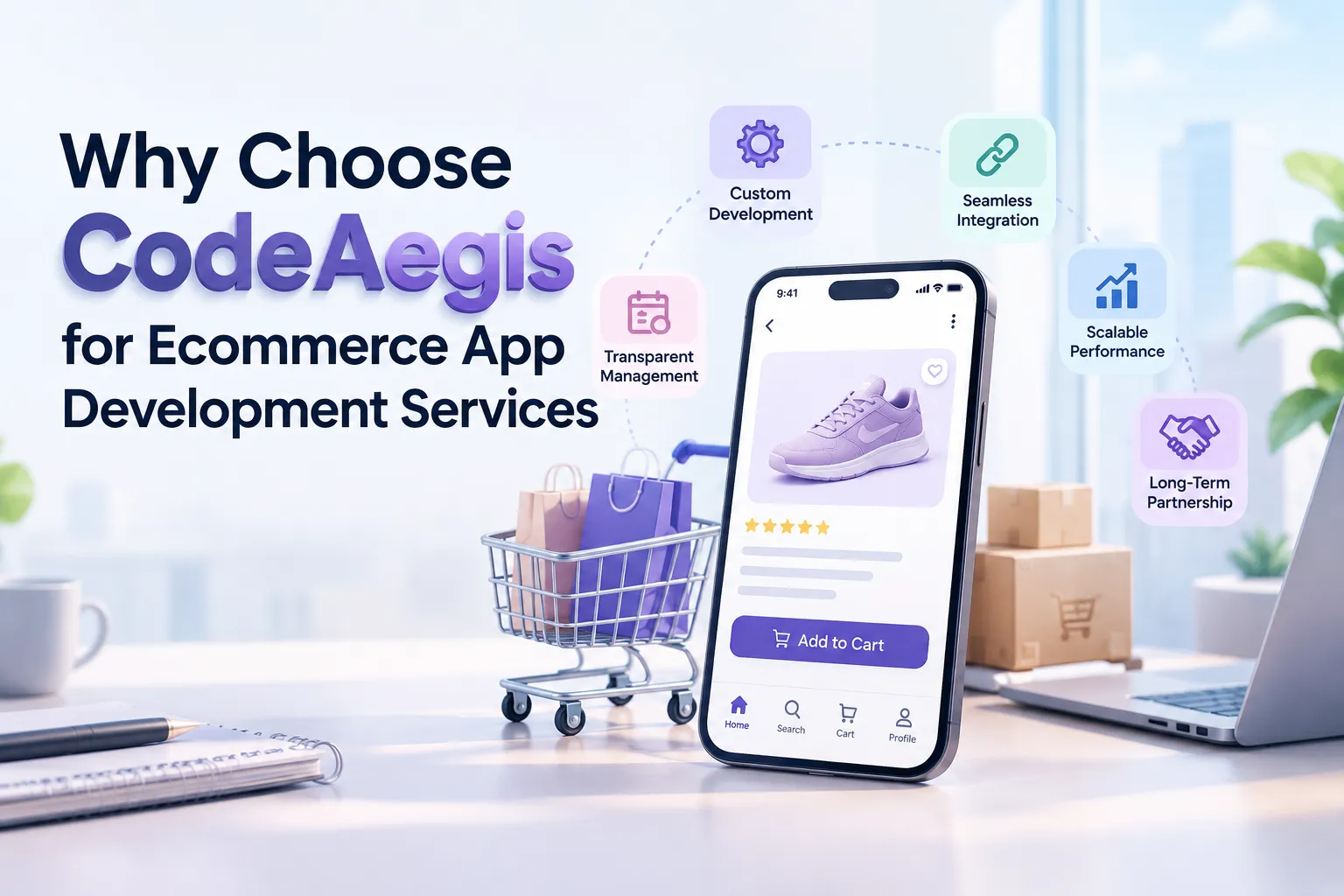
Custom Development Philosophy
We build for how your business actually operates. Not templates where you adapt to their system. Your pricing structure, your workflows, your business rules. Your app reflects your competitive advantages, not someone's generic template.
Integration and System Expertise
Apps connect to payment systems, inventory, CRM, email services. We ensure data stays synchronized across channels. Integration problems get proper planning, not quick fixes. We've handled complex integrations with legacy systems that weren't designed to integrate with anything.
Transparent Project Management
Two-week sprints give you regular visibility. Named product manager and tech lead you actually talk to. Status updates explain decisions and tradeoffs clearly. You're not kept in the dark about progress or problems.
Performance and Scalability Focus
Apps scale for volume increases. Database queries optimize for speed. Frontend loads fast on slower connections and older devices.
Performance directly impacts conversions. We've seen ecommerce app development cost savings that companies recouped within months through improved conversion rates.
Long-Term Partnership Model
We don't disappear after launch. Operating system updates need testing and deployment. Performance monitoring identifies improvements. Feature requests guide development based on actual usage. Your app improves over time, not stagnates.
Ecommerce App Tech Stack and Platform Choices
Pick the mobile approach first, since it drives most other decisions. The rest follows from catalog size, expected traffic, and the systems you already run.
| Layer | Common options | Notes |
|---|---|---|
| Mobile | Swift, Kotlin, Flutter, React Native | Match to your choice above |
| Web and admin panel | React, Angular, Vue.js | Admin dashboard and web storefront |
| Backend | Node.js, Django, Laravel, Spring Boot | REST or GraphQL APIs |
| Database | PostgreSQL, MySQL, MongoDB, Firebase | Pick for catalog size and query needs |
| Cloud and DevOps | AWS, Google Cloud, Azure, CI/CD | Auto-scaling for sales peaks |
| Payments | Stripe, PayPal, Braintree, Adyen, Apple Pay, Google Pay | Prefer tokenization to reduce PCI scope |
| Tax and shipping | Avalara, carrier and shipping APIs | Important for US sales tax |
| Analytics | GA4 / Firebase, Mixpanel, Amplitude | Set up a tracking plan before launch |
Ecommerce App Development Process: 7 Steps from Idea to Launch
Stages overlap in real projects, so read the durations below as ranges rather than a strict sequence. A full build typically lands between 3 and 9 months.
| Stage | Key output | Typical duration |
|---|---|---|
| Discovery and strategy | Scope, user personas, MVP list | 2 to 4 weeks |
| UI/UX design | Wireframes, prototype, design system | 4 to 8 weeks |
| Frontend development | Mobile app screens and flows | 6 to 12 weeks |
| Backend development | APIs, database, admin panel | 8 to 14 weeks |
| Integrations | Payments, tax, shipping, CRM | 4 to 10 weeks |
| Testing and QA | Functional, performance, security tests | 3 to 6 weeks |
| Launch and ASO | Store submission, listing optimization | 2 to 4 weeks |
| Post-launch support | Monitoring, updates, iteration | Ongoing |
Discovery Phase (2-4 weeks)
We talk to actual customers. Not focus groups of three people. Real conversations with 20-30 people who buy from you or could buy from you. How do they shop right now? What frustrates them about shopping on mobile? What would make them prefer your app to competitors' apps?
During discovery, we also audit your existing systems. What's your current tech stack? How are things integrated together? What's working well? What's causing problems? This context informs architecture decisions later.
This research prevents building features nobody actually wants. It shows you what matters to customers before you spend serious money. It's the difference between building something customers love and building something they tolerate.
Scope Definition (1-2 weeks)
We get strict about what's actually essential. Core features only. Everything else goes on a future roadmap. Your MVP should launch in 3 to 5 months. If it can't, you've got too much in there.
During this phase, we prioritize integrations. What systems absolutely need to connect at launch? What can be added in future releases? This discipline is what keeps ecommerce app development cost reasonable instead of letting it balloon to unrealistic numbers.
Design and Prototyping (4-8 weeks)
Good design drives conversions. We create wireframes showing how everything flows. Build interactive prototypes you can actually click through. Test with real users before development starts.
Design isn't just aesthetic—it's functional. Where users tap, what they see, how information is organized directly impacts whether they complete purchases. Conversion rate differences between well-designed and poorly-designed apps can be 30-50%. That's massive.
Finding problems during design costs nothing. Finding them after development costs thousands and delays launch.
Development (6-14 weeks)
Frontend and backend happen simultaneously. The front-end team builds what customers see. The backend team builds APIs and databases. By week four or five, frontend work starts using partially-finished backend systems.
Architecture decisions here determine whether you have performance problems later. Bad choices haunt you for years. We focus on building systems that scale as your business grows, not systems that work today but break when you have 10x transaction volume.
Quality Assurance and Testing (3-6 weeks)
Testing covers functionality, performance, security, and accessibility. QA finds bugs. Developers fix them. This phase can't be rushed without creating disaster in production.
We test on actual devices with real network conditions. Performance on a developer's MacBook means nothing if the app is slow on a mid-range Android on 4G. We test on older devices, slower networks, and in real-world scenarios that customers experience.
Launch Preparation (2-4 weeks)
App Store submissions take 24-48 hours for Apple and a week-plus for Google. Store listings need solid descriptions, good screenshots, and preview videos. Beta testing catches problems before millions of people see them.
We also prepare your infrastructure for launch. Load testing ensures servers handle opening day traffic. Monitoring systems watch for problems. Support teams are ready for customer questions.
Industries We Serve With Ecommerce App Solutions
Retail and General Commerce
Order tracking, returns processing, loyalty programs, size information. Apps reduce support workload while making customers happier. General retailers often have broad product catalogs requiring sophisticated search and filtering.
Apparel and Fashion
AR try-on for shoes and accessories. Style recommendations based on purchase history. Size guides specific to brands. Return management built into the app. Fashion retailers need detailed product imagery and customer reviews more than other categories.
Grocery and Perishable Goods
Inventory that actually expires on specific dates. Subscription ordering for regularly purchased items. Recipe suggestions based on purchase history. Grocery retailers must handle real-time inventory for items with short shelf lives.
Electronics and Technology
Detailed specs and comparison tools. Accessory compatibility checking. Warranty management. Trade-in value calculations. Tech retailers need to handle complex product information and customer support.
Healthcare and Wellness
Prescription refills. Health goal tracking. Product recommendations based on health information. Appointment scheduling. Healthcare apps need strict HIPAA compliance and careful handling of sensitive health information.
Home and Furniture
Augmented reality furniture visualization for rooms. Room planning tools. Fabric sampling. Interior design consultations. Furniture retailers benefit from visualization tools that reduce returns and increase confidence.
Case Study: Ecommerce App Development for Retail Operations
The Challenge
A 40-store retailer received 8,000 calls monthly asking order status. The support team couldn't handle volume. The average wait was 12 minutes. Most customers hung up frustrated. Lost orders, angry customers, damaged reputation.
The Solution
We built an app letting customers track orders in real-time. Connected to fulfillment systems for live data. Send proactive notifications when status changes. Customers didn't have to call support at all. Return management moved into the app so returns didn't require calling support either. The app also showed inventory availability, preventing customers from buying out-of-stock items.
The Results
Status calls dropped 70%. The remaining calls took 3 minutes instead of 12. Satisfaction scores went up to 4.6 out of 5. The team handled double the transaction volume without hiring anyone. The company recouped ecommerce app development cost within 18 months through operational savings alone, before counting increased sales from improved customer experience.
Conclusion
Building an ecommerce app is an investment. Time, money, focus. But the payoff is significant. Higher engagement. Better retention. Direct marketing channel. Customer lifetime value that's 2-3x higher than mobile web.
Your competitors are building. They're launching apps. They're using push notifications to drive repeat purchases. They're iterating based on user data. If you wait, you're giving them a head start.
Ready to turn your ecommerce idea into a high-converting app? Explore our ecommerce app development services or book a consultation with the CodeAegis team. We'll tell you what's realistic. We'll show you real case studies from real businesses. We'll answer your actual questions instead of marketing fluff.
Frequently Asked Questions
What's the actual difference between native and cross-platform apps?
Native apps built for iOS or Android perform optimally with full device access. Cross-platform frameworks compile to both from one codebase. Native costs roughly double but delivers marginally better performance for most ecommerce needs. Cross-platform usually makes more sense for MVP launches because you save money and launch faster. You can always move to native language later if specific requirements justify it.
What timeline should I realistically expect?
A basic MVP takes $30,000-$100,000 over 3-5 months. Standard apps run $100,000-$250,000 over 5-8 months. Enterprise apps hit $200,000-$500,000+ over 8-12+ months. Timeline depends on features, integrations, and team capacity. More integrations mean longer timelines.
What compliance stuff applies to my business?
PCI DSS if you take credit cards. CCPA if you serve California users. GDPR if you serve EU users. WCAG 2.1 AA for accessibility. Sales tax automation across jurisdictions. These should be built during development, not added afterward. Retrofitting compliance is expensive and error-prone.
What costs continue after launch?
Infrastructure typically costs $3,000-$10,000 monthly. Maintenance needs 15-20% of development investment annually. Third-party services accumulate. Year-two costs usually total 120-130% of initial ecommerce app development cost investment. This is why realistic budgeting includes multi-year planning.
Should I build custom or use existing platforms?
Custom development fits unique business models existing platforms don't support. Platforms like Shopify launch faster with lower initial costs but limit your options. Custom development offers flexibility for differentiation and long-term scaling but costs more upfront.

With over 12 years of experience, Mansi Garg is the Chief Operating Officer (COO) of CodeAegis, specializing in optimizing business performance and ensuring operational maturity across the technology landscape. Known for designing scalable governance and quality assurance frameworks, she ensured on-time project delivery. Mansi is the true leader behind the successful execution of cutting-edge digital solutions for a diverse global clientele.